
.png)
No-Shows, Solved: iMessage Appointment Reminders From Your Own iPhone
Booked calls and showings slip when reminders look like system spam. Here's how to send short, personal iMessage appointment reminders from your own iPhone, plus how to recover a no-show.
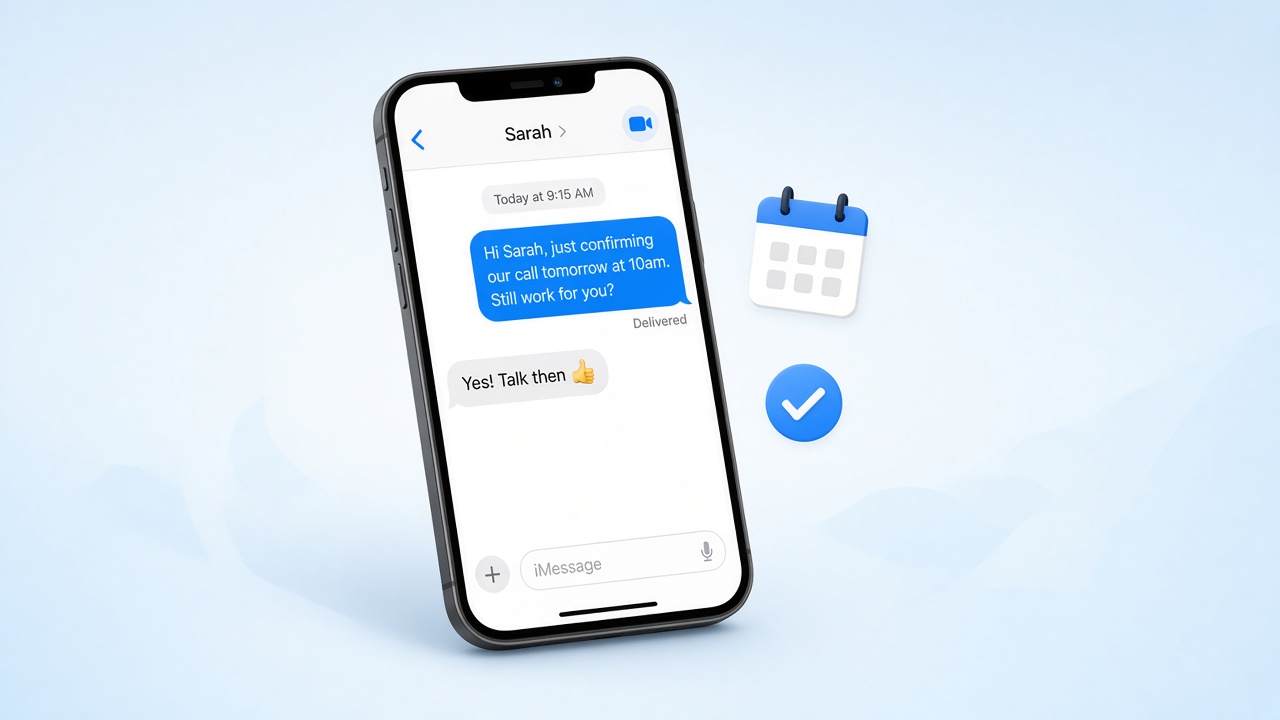
You did the hard part. The lead answered, you talked, and you booked a time: a pre-approval call, a showing, a consultation, a closing walkthrough. Then the day comes and nobody shows up. No call, no reply, just an empty slot on your calendar and a lead that suddenly feels a lot colder than it did a week ago.
No-shows are rarely about bad intentions. People get busy, forget, double-book, or quietly lose their nerve. The fix is usually not a better pitch. It is a short, personal reminder that lands where they will actually see it and makes it easy to say "yes, still on" or "can we move it?"
A blue-bubble iMessage from your own iPhone is one of the best ways to send that reminder. This guide covers why appointment reminders work better by iMessage, what to say, when to send, and how to handle the people who need to reschedule. LightSend helps you plan these reminders and nudges you when each one is due. You still tap to send every message yourself, so each one sounds like you and goes only to the people you pick.
Why appointment reminders usually fall flat
Most professionals already send some kind of reminder. The problem is how it usually goes out:
- It is an automated email. Calendar confirmations and "reminder: your appointment" emails look like every other system notification. They get skimmed, filtered, or buried under promotions.
- It comes from a short code or unknown number. Reminder texts from a random number look like spam, and people have learned to ignore them or report them.
- It sounds like a robot. "This is a reminder of your scheduled appointment. Reply C to confirm" does not feel like it came from the person they agreed to meet.
- It asks for nothing. A reminder that just states the time gives people no easy way to tell you they need to move it, so they simply do not show.
A short iMessage from the number they already have saved, in the thread where you booked the time, solves every one of those problems at once.
Why iMessage from your own iPhone works better
When your reminder shows up as a blue bubble from your own number, a few things happen:
- They recognize you. Your name is already in their phone, so the message is opened, not filtered.
- It lands in the same thread. If you booked the appointment by text, the reminder sits right under that conversation, so the context is already there.
- Replying is effortless. A quick "yep, see you then" or "can we do Thursday instead?" takes them two seconds.
- It feels personal. A reminder that reads like you wrote it signals that you are actually expecting them, which makes them more likely to show up.
This is the difference between a reminder that comes from a system and one that comes from a person. LightSend is built around that second kind: it does not route your messages through a third-party iMessage API or a shared number. Everything goes out from the iPhone in your pocket, when you tap send.
What to say: short reminder templates
The best reminders are short, specific, and end with an easy question. Here are a few you can adapt.
The day-before confirmation
"Hi Sarah, just confirming our call tomorrow at 10am. Still a good time for you?"
This is the workhorse. It names the time, and the question invites a one-word reply.
The morning-of nudge
"Morning Dan! Looking forward to walking through the house on Elm at 4 today. I'll meet you out front."
Use this for in-person appointments. It adds one helpful detail so they know exactly what to expect.
The "bring this" reminder
"Hi Priya, for our pre-approval call Thursday, if you can have your last two pay stubs handy it'll save us both time. Talk then!"
This turns a reminder into something useful, and it makes the appointment feel more concrete.
The easy reschedule
"Hey Marcus, I know this week got crazy. Want to keep Friday at 2, or is next week better?"
Offering a way out sounds counterintuitive, but people who feel free to reschedule are far less likely to simply vanish.
When to send appointment reminders
Timing matters as much as wording. A simple rhythm that works for most appointments:
- Right after booking: a quick confirmation with the date and time, so it is in their thread from day one.
- The day before: the confirmation question. This is the one that catches most no-shows early.
- Two to three hours before (for in-person meetings): a short heads-up with the address or meeting spot.
- Within an hour after a no-show: a friendly, no-guilt message offering a new time.
For appointments booked weeks out, add one more touch about a week before so the meeting does not feel like it came out of nowhere.
How to handle no-shows without burning the lead
Even with good reminders, some people will miss. How you follow up decides whether that lead comes back or disappears for good.
- Assume good intent. "Hey Jordan, looks like we missed each other today. No worries at all. Want to grab another time this week?"
- Make the next step tiny. Offer two specific times instead of asking them to come up with one.
- Do not stack messages. One follow-up the same day, then one more in a few days if they do not answer. After that, move them into your regular check-in rhythm.
- Keep it in the same thread. That way they can scroll up and see exactly what you talked about.
Handled this way, a missed appointment becomes a small bump instead of a lost relationship.
Planning reminders without letting them slip
The hard part is not writing a reminder. It is remembering to send it at the right moment when your day is packed with calls, showings, and paperwork. That is where most reminder systems quietly fall apart.
With LightSend, you can plan reminders for each appointment as soon as you book it: a confirmation now, a nudge the day before, a heads-up the morning of. LightSend reminds you when each one is due. When the reminder comes up, you review the message, adjust it if something has changed, and tap send from your own iPhone. Nothing goes out on its own, so you never send an outdated time or a reminder for a meeting that already moved.
A simple appointment reminder checklist
- Send a short confirmation right after booking, in the same thread.
- Plan a day-before reminder that ends with a yes-or-no question.
- Add a same-day heads-up for in-person meetings, with the address or meeting spot.
- Make rescheduling easy by offering it before they have to ask.
- If someone no-shows, follow up once the same day with two new time options.
Pair this with same-hour new lead follow-ups, after-the-call messages, and pre-approval check-ins, and you have a full follow-up rhythm that keeps leads moving from first conversation to closing.
Fill your calendar with people who actually show up
Every no-show is time you will not get back and a lead that is harder to win the second time. A short, personal iMessage from your own number, sent at the right moment, is one of the simplest ways to protect both. LightSend helps you plan each reminder and nudges you when it is time to tap send.
Download LightSend on the App Store and start sending appointment reminders from your own iPhone today.


