.png)
Missing Documents? iMessage Paperwork Reminders From Your Own iPhone
Deals stall when a pay stub or signed form never shows up. Here's how to send short, specific iMessage document reminders from your own iPhone, plus timing and security tips.
Every deal has a stretch where everything is waiting on one thing: a document. A pay stub, a bank statement, a signed disclosure, an inspection addendum, a copy of an ID. You asked for it. The client said "sure, I'll get that to you." And then days go by while the file sits still and the timeline quietly gets tighter.
Chasing paperwork is one of the least glamorous parts of the job, but it is also one of the places where deals slip. Most clients are not ignoring you. They are busy, they are not sure exactly what you need, or the request is buried in an email thread they have not opened since Tuesday.
A short, friendly iMessage from your own iPhone is one of the fastest ways to get that document moving. This guide covers why document requests stall, how to write a reminder that gets action, when to send it, and how to keep things secure. LightSend helps you plan these reminders and nudges you when each one is due. You still tap to send every message yourself, so each one sounds like you and goes only to the people you pick.
Why document requests stall
When a client is slow to send something, it is usually one of a few reasons:
- The request was buried. A long email with six items, a portal notification, and a calendar invite all look alike. The one thing that matters gets lost.
- They are not sure what counts. "Send your bank statements" leaves questions. Which account? How many months? All pages, even the blank one?
- It feels like a chore with no deadline. If the request does not say why it matters or when you need it, it drifts to the bottom of the list.
- The reminder sounds like a robot. An automated "you have outstanding items" email is easy to ignore. A text from a real person they are working with is not.
A good document reminder fixes all four: it shows up where they will see it, says exactly what you need, explains why, and sounds like you.
Why iMessage works better for paperwork nudges
Text messages get read quickly, and a blue-bubble iMessage from a number your client already has saved feels like a conversation, not a notice. That matters when you are asking someone to do a small, annoying task.
Sending from your own iPhone also keeps everything in one thread. Your client can reply "which statement?" or "I'll send it tonight" right where your question lives, and you can see the whole history at a glance. There is no short code, no unfamiliar number, and no "reply STOP" footer making it feel like marketing.
That is the difference between a third-party texting tool and your own phone. Your client knows who is asking, and they know a real person is waiting on them.
Keep it secure: ask by text, collect the right way
One important rule: use iMessage to remind people, not to collect sensitive files. Pay stubs, tax returns, bank statements, and IDs contain personal information that belongs in your secure portal, encrypted email, or whatever upload method your company requires.
So the text is the nudge, and the portal is the destination. Something like "I just need your last two pay stubs. You can upload them to the same secure link I sent Monday" gets the request in front of them without asking them to drop private documents into a chat thread. If they reply with a photo anyway, thank them and follow your company's policy for handling it.
What to say: document reminder templates
The best reminders are short, specific, and friendly. Name the exact item, give a reason or a deadline, and make the next step obvious. Adjust these to fit your voice and your business.
The first gentle nudge
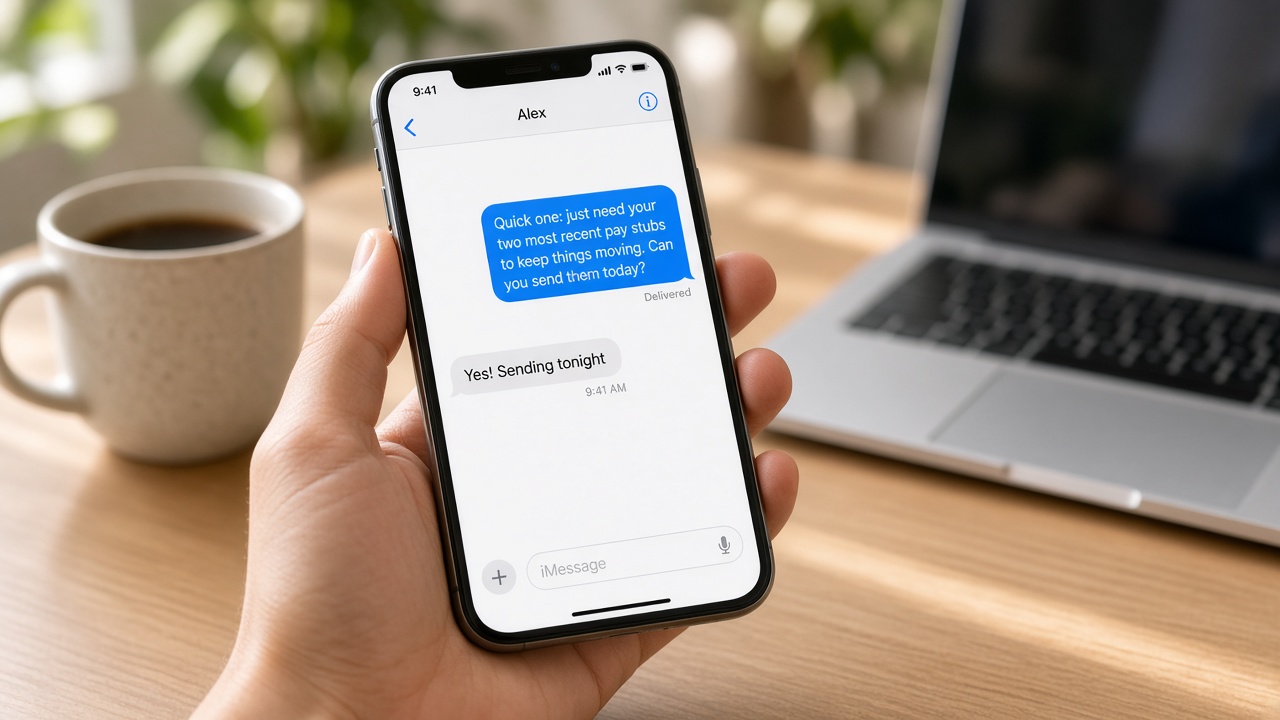
"Hi Jordan, quick one: I just need your two most recent pay stubs to keep things moving. You can upload them to the same secure link from Monday. Can you get those over today or tomorrow?"
When the deadline matters
"Hey Sam, we're on track for closing on the 14th. The last thing holding us up is the signed disclosure. If you can sign it by Thursday, we stay right on schedule. Want me to resend the link?"
When they seem stuck
"Hi Taylor, no rush, just checking in on the bank statement. If you're not sure which one I need, it's the checking account ending in 4521, last two months, all pages. Happy to hop on a quick call if that's easier."
The thank-you close
"Got it, thank you! That was the last piece. I'll let you know as soon as we have the next update."
That last message is easy to skip, but it matters. It tells your client their effort landed, and it makes the next request feel lighter.
When to send document reminders
Timing does a lot of the work. A simple rhythm that respects your client's time looks like this:
- Right after the request. Send a short text pointing to the email or portal so they know it is there and what it is for.
- Two days later. If nothing has come in, send a gentle nudge that names the exact item.
- Two days before the deadline. Mention the date and why it matters, and offer help if they are stuck.
- The moment it arrives. Say thank you and tell them what happens next.
Send during normal hours. A reminder at 9am on a weekday feels helpful. The same message at 10pm on a Sunday feels like pressure.
How LightSend fits in
The hard part of chasing documents is not writing the text. It is remembering to send it to the right person at the right time while you are juggling ten other files.
With LightSend, you plan your reminders ahead of time: the first nudge, the follow-up, and the deadline check. LightSend reminds you when each one is due. When it comes up, you look at the message, update it if the client already sent something or the date changed, and tap send from your own iPhone. Nothing goes out on its own, so you never remind someone about a document they uploaded an hour ago.
Because every message comes from your own number, it lands in the same thread as the rest of your conversation, and your client's reply comes straight back to you.
A simple document reminder checklist
- Name the exact document, not a category. "Last two months, all pages" beats "bank statements."
- Give a reason or a date so it does not drift.
- Point to your secure upload method instead of asking for files by text.
- Space reminders out by a couple of days and stay friendly.
- Always send a thank-you and a quick next step when it arrives.
Pair this with under-contract milestone updates, appointment reminders, and after-the-call follow-ups, and you have a follow-up rhythm that keeps every file moving toward the finish line.
Stop waiting on paperwork
Deals rarely fall apart over one big problem. More often, they slow down over small missing pieces nobody followed up on. A short, personal iMessage from your own number, sent at the right moment, is one of the simplest ways to keep things moving. LightSend helps you plan each reminder and nudges you when it is time to tap send.
Download LightSend on the App Store and start sending document reminders from your own iPhone today.